Your students already charge their phones four times a day. That’s…Four words a day,
without homework

1,000+ words and phrases per student, per school year.

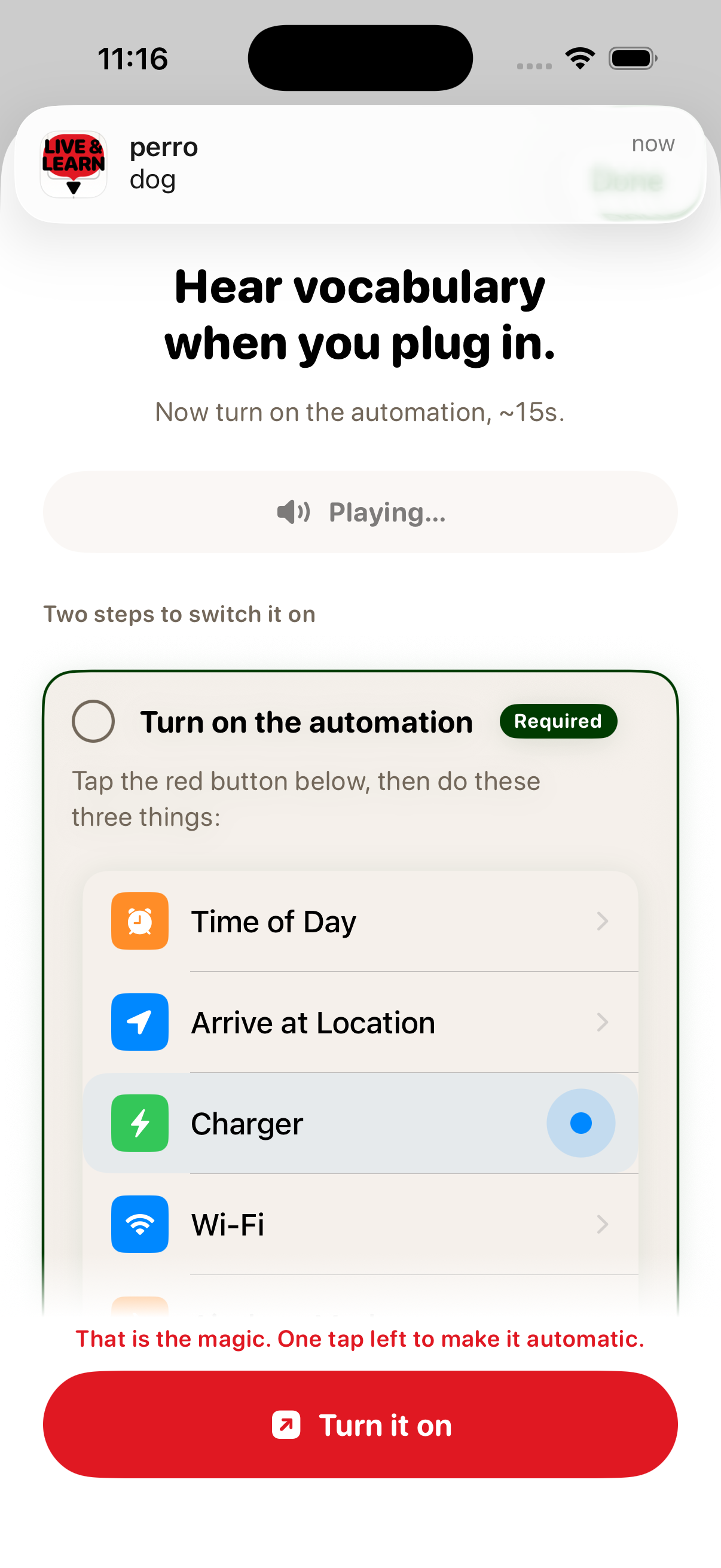
Vocabcord's guided setup: turn on the charger automation in three taps.
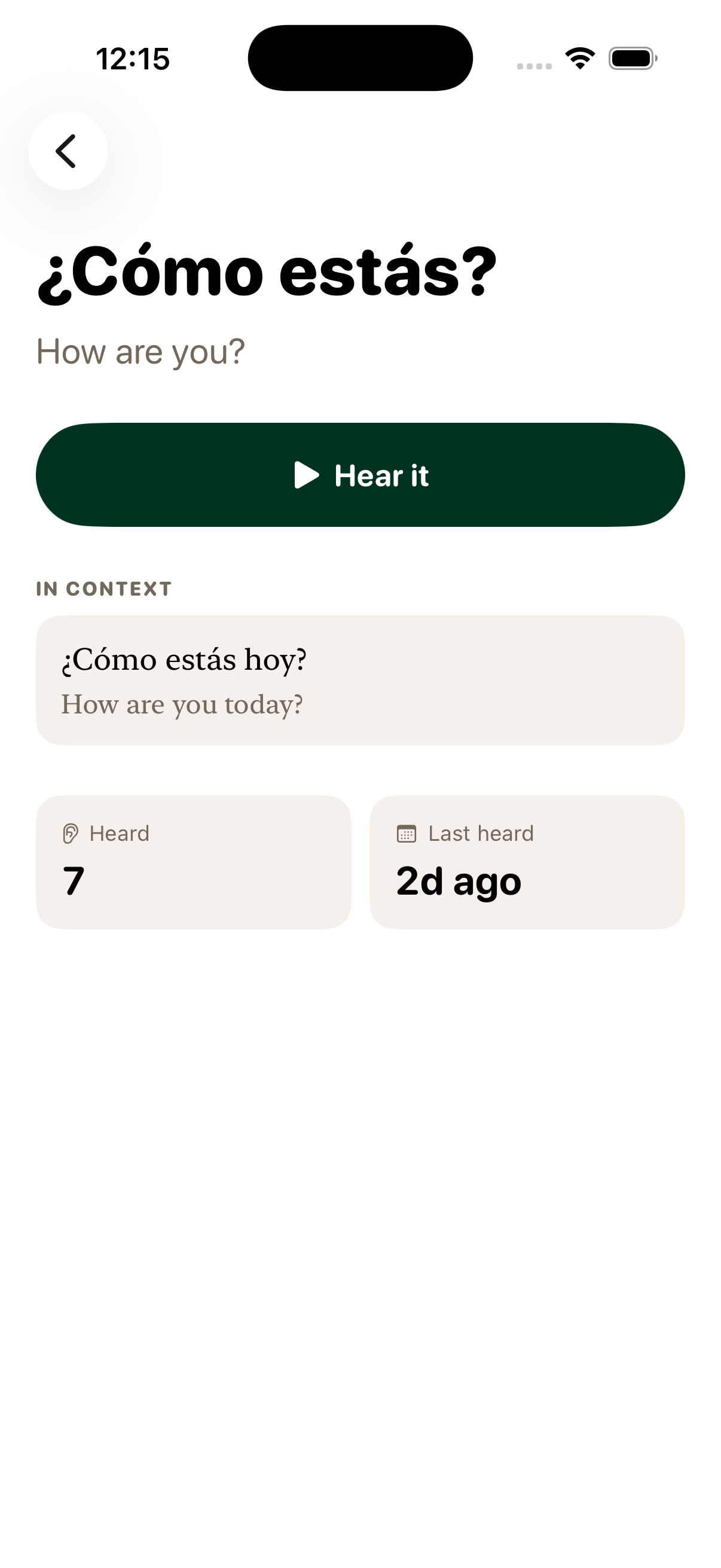
Phrase detail with translation, in-context example, and audio
Level picker from A1 Survival to C2 Mastery, with phrase counts and a free taste

They plug in.
They hear a word.

One scan of their card sets it up. After that every charge plays a phrase out loud and posts it as a notification. Spanish, French, German, Italian, Portuguese, Polish and English vocabulary, A1 to C2 — one seat opens all of it.

Get a quote

What a student’s evening looks like.

The rollout costs one warm-up. After that, the phone on the nightstand does the teaching.

09:41 Friday, June 13 Au revoir Goodbye Merci Thank you Bonne nuit Good night
1

Hand out the cards

One QR card per student, single use. A print sheet, or a numbered list of links for your class system.

2

They scan, once

Their own phone, iPhone or Android. Five taps, fifteen seconds, and the app walks them through it.

3

Every charge teaches

Then the charger does the rest. A phrase every plug-in, all year — no app to open, nothing to chase.
It runs on time nobody has to find.

No homework to set. No streaks to police. No accounts to reset. From then on the charger sets the pace, one phrase at a time.

Research places conversational fluency at ~3,000 high-frequency words
— a school year of charging covers a third of it.

The app stays closed.

The trigger is already in their day. One CEFR-graded phrase plays automatically, and a notification shows the word. Nobody has to open an app, least of all you.

The Vocabcord setup sheet: turn on the charger automation in about fifteen seconds.
Phrase detail for ¿Cómo estás? (How are you?): heard seven times, last heard two days ago.

Memory that fades gets refreshed.

Phrases a student is about to forget surface more often. Ones they know cold drift back. Listening does the work, and there is nothing to mark. Studies show spaced repetition improves retention by ~25% over traditional study.

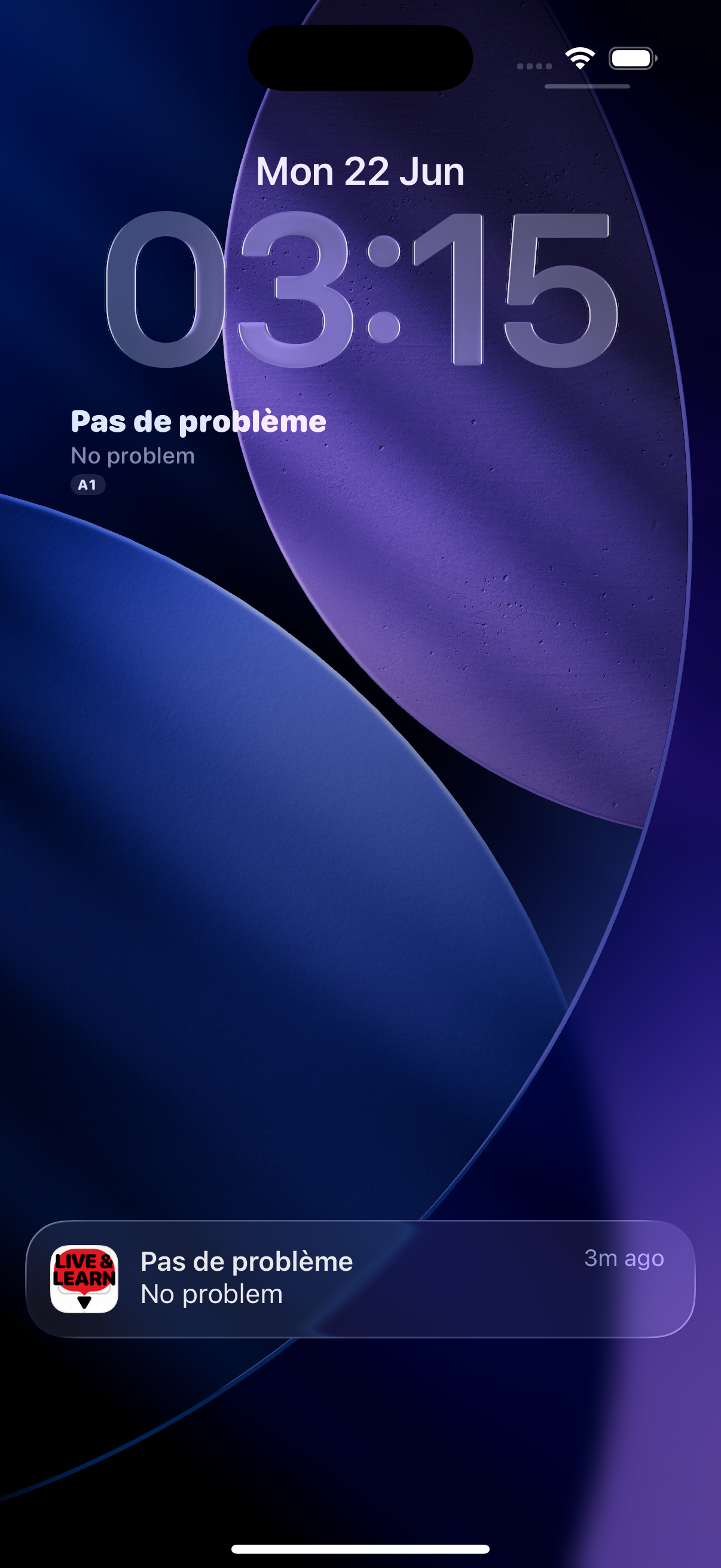
Lock-screen widget showing the most recent phrase

Glance. Remember.

The widget sits on their lock screen. After a plug-in, one glance reinforces what their ears just caught.

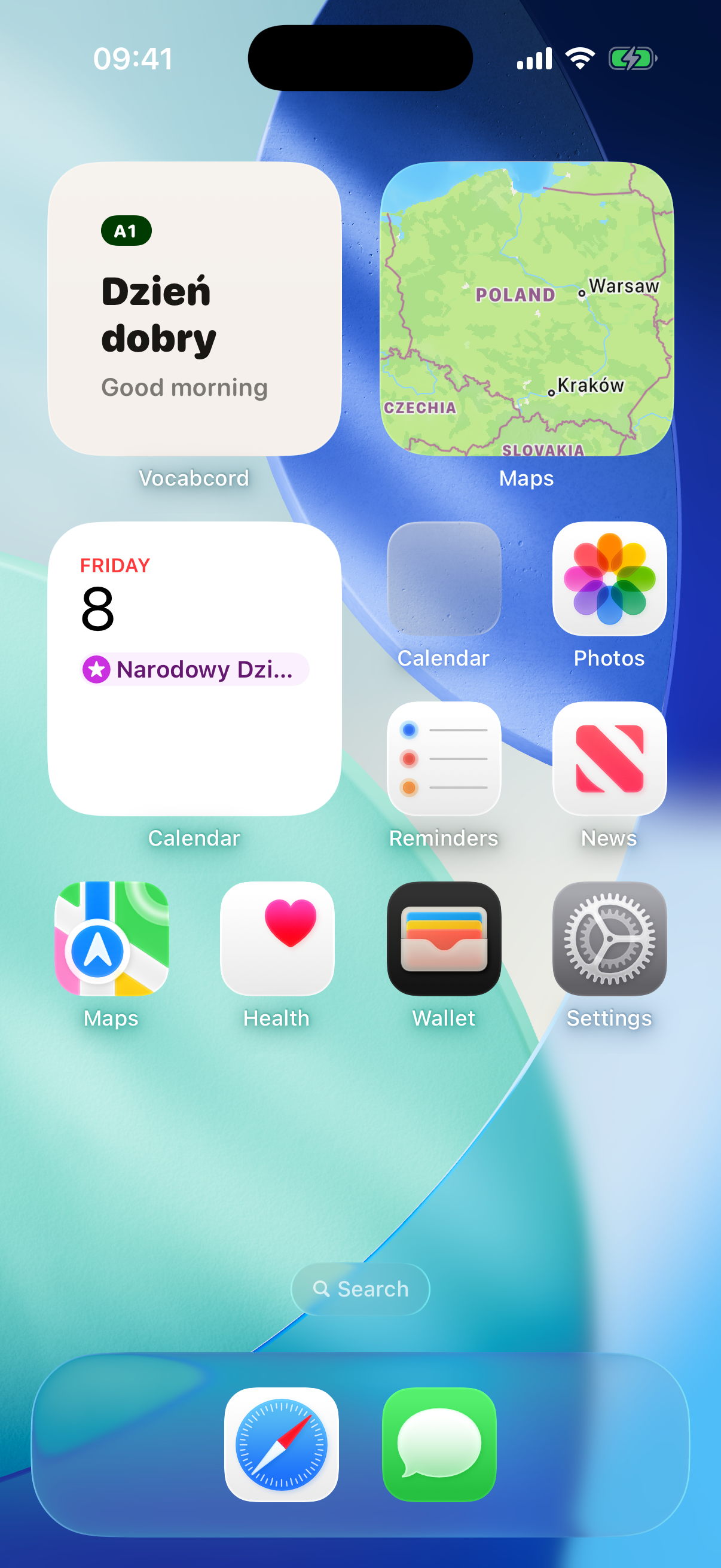
Home-screen widget showing the most recent phrase

What your administration will ask…

No student accounts
Nobody types a name, an e-mail or a password. A seat is a licence, never a profile.
Auto-renew off from the start
Switched off before a card is ever printed, so a seat simply ends when its year does.
Works on the phones they own
One card, either platform, on the phone already in their pocket — free of MDM or an IT ticket.
Graded to the syllabus
Every phrase sits on the CEFR scale, A1 to C2, with audio recorded by native speakers.
You see the take-up
Cards issued, cards activated, by platform. A mis-scanned card resets in seconds.
One invoice a year
Per seat, with volume discounts. Students and parents never see a payment step.

What lands in your inbox.

Tell us how many seats. You get a print sheet of QR cards and a numbered list of links — one per student, single use, either way.

A seat is a licence, never a profile, and it ends on its own.
Each scan starts that student’s own twelve months.

Questions schools ask us…

Do students need to create accounts?

No. Nobody types a name, an e-mail address or a password. A student scans their card, the app unlocks, and that is the whole ceremony.

Can a student ever get charged?

No. On iPhone the seat redeems through Apple’s own system with auto-renew switched off from the start; on Android the licence is a signed pass inside the app with no billing attached to it at all. When the 12 months end, access ends. Nothing renews and nobody is asked for a card number.

Does the same card work on iPhone and Android?

Yes. Every card is one link that recognises the phone it is opened on and routes itself to the right store. You order seats, and the iPhone/Android split takes care of itself.

What happens to cards nobody uses?

Each batch has an activation window, typically two to three months from the start of the agreement. Cards not scanned by then go dead on their own. Your activation report shows exactly how many were handed out, scanned, and on which platform.

Which languages and levels are covered?

Spanish, French, German, Italian, Portuguese and Polish, learned from English, plus an English vocabulary track — 33,233 phrases in total, graded A1 to C2, with audio for every phrase. The full derivation is on the corpus statistics page.

Does it work offline?

Yes. Once a pack is downloaded, playback needs no connection — and the licence is verified on the device, so it keeps working offline too.

How does a pilot work?

Pick one class, get that many seats free for a semester, and watch the activation report. If the words stick, scale up to the year group with a standard per-seat agreement.

How is billing handled?

One standard invoice per year, per seat, from us to the institution. Students and parents never see a payment step anywhere — priced per seat, per year, with volume discounts.

Get a quote for your school.

Tell us roughly how many students and which languages they’re learning. You’ll get a per-seat price back, and a free pilot pack for one class if you’d like to try it first.

A seat ends when its year does.

Renewal is switched off before the cards are printed.