Start with something they heard
Choose a level and theme, then let Vocabcord run for a week or two. Start the next lesson by reading out three phrases and asking who recognises them.
There is nothing to submit or mark.
Useful phrases to hear between lessons. Ready-made activities to bring back to class. Start with a free collection and see what fits your students.
Free content to try. No account or streak to maintain.
After setup, plugging in plays a phrase, followed by its translation, then the phrase again. Students can also open the app to listen and revisit phrases whenever they want.
Choose a practical phrase collection or vocabulary by level and theme. Spanish, French, Polish, German, Italian and Portuguese have A1 to C2 vocabulary paired with English, with translations and example sentences.
Charger playback needs one-time setup.
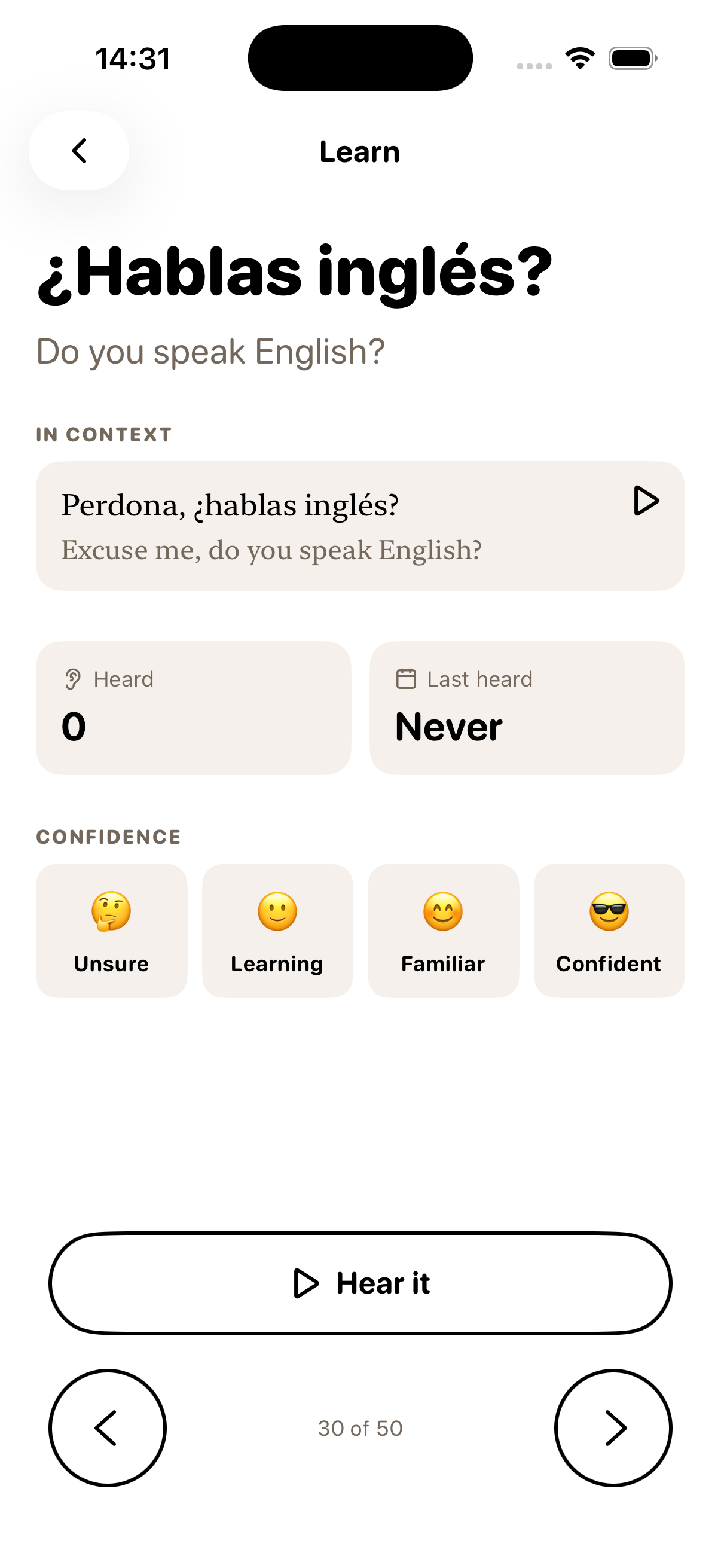
Pick an activity that fits what you already teach. Listening gives students something to work with; the conversation and feedback happen with you.
Choose a level and theme, then let Vocabcord run for a week or two. Start the next lesson by reading out three phrases and asking who recognises them.
There is nothing to submit or mark.
Ask students to set their level before the end of term. Charger playback can keep vocabulary in their day without a class assignment to submit. Daily-word notifications are optional.
Each student chooses their own CEFR level. Learners who need reinforcement can work below the class level without scores, rankings or a public label.
The explanation takes one sentence:
Once it’s set up, plug in your phone and Vocabcord says a phrase, then what it means, then the phrase again.
Students can start without creating an account, and free content is available before anyone begins a trial.
A printable plan for 30 to 45 minutes. Students work with six phrases, then teach two to another pair.
The app provides phrase audio, translations and, in the vocabulary packs, example sentences. These support a teacher leading the activity even if they do not speak the target language.
Teaching Spanish? Use the travel phrase list and practice answer key as an optional speaking warm-up.
Read and listen online, print a PDF, or use a CSV in a spreadsheet or flashcard deck. Each collection below contains 500 phrases with English translations.
The Vocabcord 500 groups phrases by everyday situations across three parts: survive, travel and work. These six collections are also available as downloadable packs in the app, including charger playback after setup.
PDF and CSV downloads contain the same 500 rows. Quote individual rows with a link to the collection. Please ask us about permission before distributing a complete set.
Teaching another language pair? Browse all collections.
This is one suggested sequence, using the collection’s actual sections and phrase counts. It is a planning reference, not a target for how many phrases a student should learn in a week. The other five collections follow the same three-part structure across 17 or 18 sections, with slightly different section sizes.
Swipe across the table to see the practice focus.
| Week | Sections from the Spanish collection | Phrases | Practice focus |
|---|---|---|---|
| Week 1 | First contact; Understanding each other | 52 | Greet at the right hour, thank, apologise, and say out loud that they have not understood. |
| Week 2 | Numbers, times and dates; Shopping and paying | 56 | Ask a price, hear the total back, pay, and give a time. |
| Week 3 | Health and pharmacy; Emergencies | 48 | Describe a symptom at a pharmacy counter and call for help. |
| Week 4 | Phone, data and deliveries; Admin, forms and the landlord | 54 | Sort out a SIM, take a delivery, and ask an office what a form wants. |
| Week 5 | Getting around | 38 | Ask the way, buy a ticket, and check they are on the right bus. |
| Week 6 | Hotel and lodging; Small talk and sightseeing | 56 | Check in, report a problem with a room, and hold two minutes with a stranger. |
| Week 7 | Eating out | 38 | Order, flag an allergy, ask what is good, and pay. |
| Week 8 | First day at work; Money at work | 54 | Meet a team, find their way round a building, and ask about hours and pay. |
| Week 9 | Meetings and calls; Email and messages | 56 | Interrupt politely, ask for a repeat on a bad line, and open and sign off a message. |
| Week 10 | Asking for help, owning mistakes, deadlines; Feelings and opinions | 48 | Say a deadline will slip, ask a colleague for help, and give an opinion. |
Survive runs to four weeks because it is the biggest lane at 210 phrases; squeezing it into three puts 70 new phrases in each. Feelings and opinions closes the term because it is the one section a class can point at anything it already knows.
The collections provide phrases and audio to use alongside your course. They don’t include a grammar syllabus, reading or writing assessment, or pronunciation feedback. For a Spanish writing warm-up, ask students to draft a short paragraph and use the Spanish word counter to check its length against your instructions.
Set up charger playback on your own phone first. You will know what your students hear and which steps they may need help with.
Students download the app without creating an account or providing an email address.
Pick a language pair and phrase collection, or a CEFR level and vocabulary theme.
Android detects the charger directly. On iPhone, the student completes a one-time Shortcuts automation before charger playback can work.
Allow time to test it together. Walk iPhone students through the automation and test a plug-in. Android students may need help with background and battery settings. Follow the setup guide.
No. Once set up, charger playback can run outside class. Phrases can also be played directly inside the app for classroom activities.
Keep the app optional so access to a phone never affects a student’s grade. Use the web collections or printed materials for shared classroom activities.
Students do not create accounts. There is no class roster, pupil email collection or login for teachers to manage.
Spanish, French, Polish, German, Italian and Portuguese have vocabulary paired with English across A1 to C2. Phrase collections also cover other language pairs. Check the current collection list for your students’ languages.
Students can start with free app content. A subscription gives access to additional packs, with a trial on the yearly plan for eligible subscribers. The web phrase collections are free to read and listen to.
Schools license Vocabcord per seat and receive a QR card or link for each student. Schools are invoiced; institutional seats do not auto-renew. See school access and request a quote.
Try a free pack, hear a few phrases and decide where Vocabcord fits in your teaching. There is no homework to collect or pupil account to manage.